NinjaScript indicator for NinjaTrader 8 Desktop

Helios Pro Indicator.

A focused third-party NinjaScript indicator built for a more deliberate chart-review workflow on NinjaTrader registered trademark 8 Desktop.

NinjaTrader 8Desktop platform
NinjaScriptIndicator integration
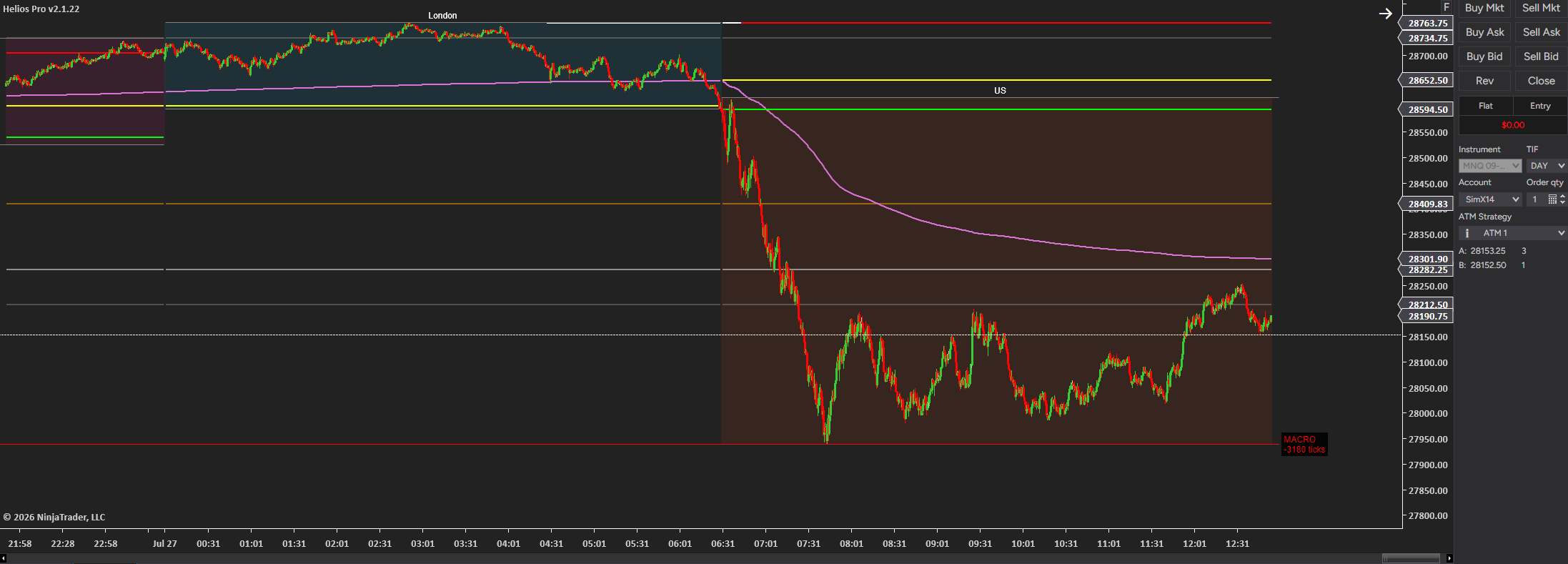
Helios Pro displayed on a NinjaTrader 8 Desktop chart
Helios Pro on NinjaTrader 8 Desktop. Interface capture for product illustration only; no performance results are shown.

Product workflow

Three layers. One focused workspace.

Helios Pro keeps the product conversation centered on chart review, platform fit, and an intentional implementation path.

01 / Chart context

Read the working chart

Start with the selected NinjaTrader desktop chart and the visual context needed for your review process.

02 / Structured review

Keep the process visible

Use the indicator as part of a repeatable chart-review routine rather than a black-box promise.

03 / Guided setup

Confirm the platform fit

Discuss installation, access, and supported use directly with the Kaivalya team before moving forward.

NinjaTrader registered trademark Integration

Clear platform details

Helios Pro is designed for the NinjaTrader desktop environment. Setup and supported use are discussed directly with the Kaivalya team.

Platform
NinjaTrader 8 Desktop
Integration type
NinjaScript indicator
Support
support@kaivalya.trading

Product options

Make the chart yours.

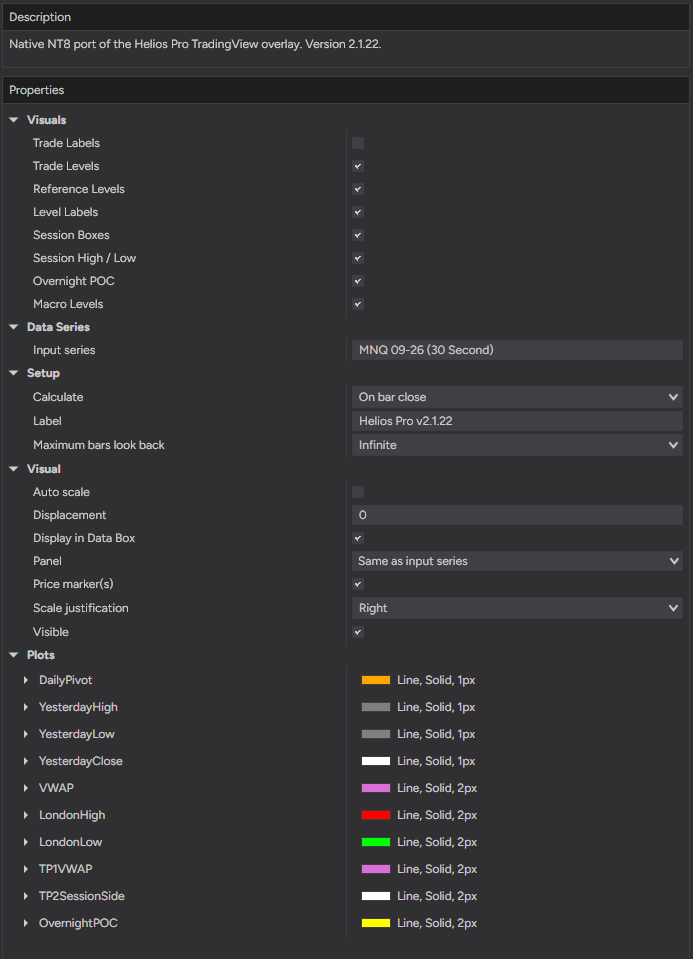
Helios Pro keeps its working controls in the NinjaTrader properties panel, so the chart can be configured around the visual references you want to review.

Visual layers
Toggle trade levels, reference levels, level labels, session boxes, session high/low, overnight POC, and macro levels. Trade labels can be kept separate from the level view.
Chart and calculation
Set the input series, use the on-bar-close calculation setting shown, choose a panel, and control the visible lookback range.
Plotted references
The options panel exposes individual plot styling for daily pivot, yesterday's levels, VWAP, London levels, session targets, and overnight POC.

The controls shown are product-interface settings, not trading recommendations or performance claims.

NinjaTrader interface

See the product options

Helios Pro options interface.

Implementation Conversation

Talk through your platform setup

Our team can answer product and setup questions before you move forward.

Helios Pro Indicator

Talk to the Team

Schedule a conversation about product fit, NinjaTrader 8 Desktop, and support.

Talk to the Team
Platform disclosure: NinjaTrader® is a registered trademark of NinjaTrader Group, LLC. No NinjaTrader company has any affiliation with the owner, developer, or provider of the products or services described herein, or any interest, ownership or otherwise, in any such product or service, or endorses, recommends or approves any such product or service.